VPS Malaysia Blog

General

Containerize and Deploy Node.js Applications With VPS Malaysia

Containerizing a Node.js app means packaging code, dependencies, runtime and environment settings into a portable image that can run consistently on a VPS, cloud platform or container service.

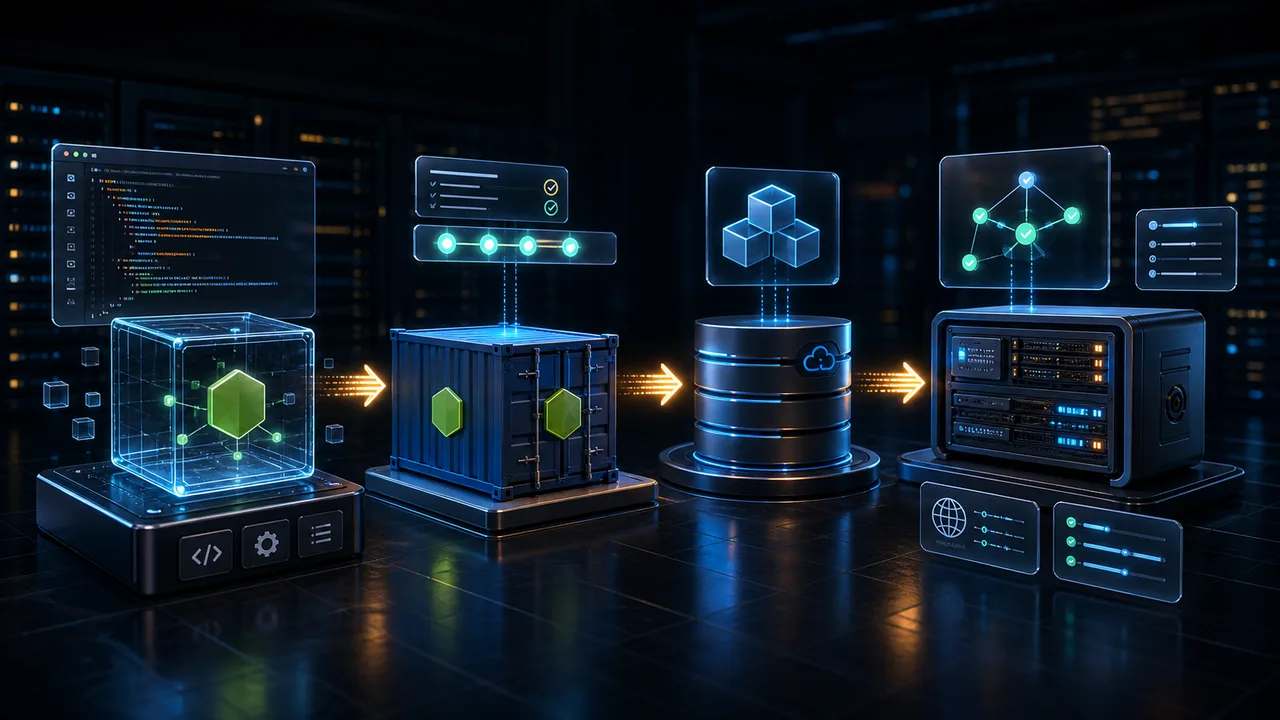
3D Node.js application cube being containerized and deployed to a VPS server pipeline
DockerfileDefines the portable app image
RegistryStores and distributes container images
VPSRuns the containerized Node.js app live

Node.js Deployment Pipeline

What this guide covers.
3D Node.js application cube being containerized and deployed to a VPS server pipelineNode Deploy

Containerizing a Node.js app means packaging code, dependencies, runtime and environment settings into a portable image that can run consistently on a VPS, cloud platform or container service.

Node.js is event-driven and non-blocking, which makes it efficient for APIs, real-time apps and traffic spikes.

Docker fixes the 'works on my machine' problem by packaging the app runtime and dependencies together.

A practical deployment path is prepare app, write Dockerfile, build locally, push registry, then deploy to cloud or VPS.

Redesigned Guide

Visual decision path.

Node.js Foundation

Node.js lets developers run JavaScript on the server. Its non-blocking model handles many requests efficiently without creating a heavy process for every visitor.

JavaScript on the serverEvent-driven runtimeEfficient for APIsGood for traffic spikesPopular for modern web apps

Container Goal

A container is a shipping box for software. It includes code, dependencies, settings and runtime so the app behaves the same on every machine.

No environment mismatchPortable app packageFaster start and stopClean dependency isolationPredictable deployment

Build Pipeline

The workflow moves from working app to Dockerfile, local image build, local test run and registry push before deployment.

Prepare index.js and package.jsonUse environment variablesWrite DockerfileAdd .dockerignoreBuild and run locally

Deploy Options

Managed platforms simplify deployment, but VPS deployment gives more control over runtime, ports, reverse proxy, SSL and resource allocation.

Render or Railway for simplicityCloud Run or App Runner for managed containersVPS for controlReverse proxy for routingLogs and health checks for operations

Quick Reference

Node.js Container Deployment Table

Prepare app

Create working Node.js code, package.json and environment variable plan.

Dockerfile

Choose base image, install dependencies, copy code and define start command.

.dockerignore

Exclude node_modules, logs, secrets and unnecessary files.

Build/test

Build image locally, run container and verify the exposed port.

Registry

Tag and push the image to Docker Hub or a private registry.

Deploy

Run on VPS or managed container platform with proxy, SSL and monitoring.

A containerized Node.js app is easier to move, test and operate. Once the Docker image is stable, deployment becomes a repeatable pipeline instead of a fragile manual setup.

Explore VPS Malaysia Services